The Problem: Reading on the Wrong Device
I have a confession: I had 30 browser tabs in Arc for articles I wanted to read.
Not just any tabs-these were articles I really wanted to read. React Server Components deep-dives. TypeScript performance guides. D&D campaign design tips. Every week I’d discover dozens of interesting articles across my various interests (tech, writing, plants, D&D, yoga), save them to Arc, and promise myself I’d read them “later.”.
The problem? “Later” meant reading on my MacBook screen. And after a whole day of coding, the last thing I wanted was more blue light burning my retinas. Plus, I wanted to save the relevant articles on my Obsidian Second Brain.
I am a big reader, and I have an e-reader. It’s perfect for reading-no eye strain, comfortable for hours, great for focused deep reading. But my workflow was broken:
- Discovery: Happens everywhere (phone, laptop, random scrolling)
- Processing: Requires my laptop with Obsidian Web Clipper plugin to add articles to my Second Brain
- Reading: Forced to happen on Mac because articles were locked there
I tried everything:
- Commercial read-it-later services (Pocket, Instapaper, Omnivore): Data silos separate from my Obsidian vault. Plus, Omnivore shut down-proving vendor lock-in is real. It broke my little hearth.
- Self-hosted alternatives (Wallabag, Readeck): Still separate from my knowledge base, extra systems to maintain.
- Direct Obsidian mobile sync: My vault is too large, git sync breaks on Android, and before Obsidian Bases, it was not really made for a reading queue.
- Browser tabs: Fragile, device-locked, anxiety-inducing, laptop only.
I wanted to keep Obsidian, because this is my Second Brain, and where I am writing my Newsletter and blog posts.
And I needed something that would let me read my Obsidian articles on my e-reader, without creating another data silo or adding maintenance burden.
So I built it. It was a good opportunity to test the BMAD Method.
The Solution: Inkwell
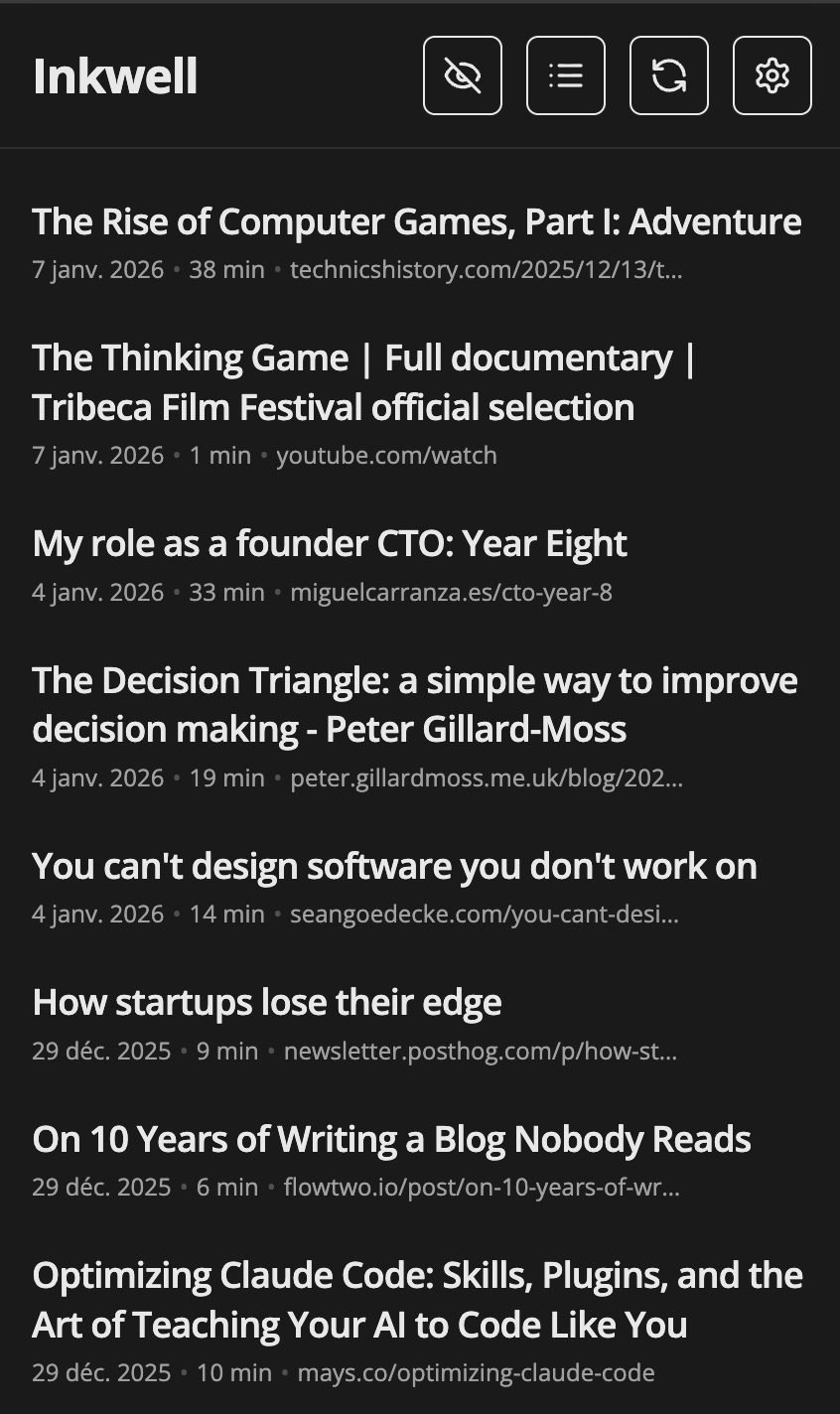
Inkwell is a server-side rendered web app that creates a thin reading layer over my Obsidian vault. It’s deliberately simple:
- I process links through my existing Obsidian Web Clipper workflow on my laptop
- Articles sync automatically from GitHub (where my vault lives)
- I read them on my Boox e-reader via a clean, optimized web interface
- Mark as read with one tap, which updates the markdown tags
- I can use a Telegram bot to share URLs from my phone
Insight
Obsidian remains the source of truth. The reader is just a view. If this tool disappears tomorrow, I lose nothing-every article is in my vault, in markdown, in git.
Built with React Router v7, TypeScript, Tailwind, deployed to fly.io. About 2000 lines of code total. Clean, maintainable, focused.
But here’s the real story: how BMAD helped me build this in a fraction of the time it would have taken otherwise.
Enter BMAD: Breakthrough Method for Agile AI-Driven Development
BMAD (Breakthrough Method for Agile AI-Driven Development) is a structured development methodology designed specifically for AI-assisted coding. Think of it as a workflow framework that guides you (and your AI pair programmer) through the complete software development lifecycle.
The core insight: AI assistants are amazing at implementation but terrible at figuring out what to build. They’ll happily code whatever you ask for, even if it’s the wrong thing. BMAD solves this by forcing you to think before you code.
This is what Github Spec-Kit is doing as well, which I already tested with building an Exam Prep App in 12 Hours with AI and Spec-First Development.
But BMAD is much more advanced with 21 specialized agents and 50+ guided workflows.
BMAD Phases
BMAD breaks development into four distinct phases:
- Analysis: What problem are we actually solving? Who’s it for?
- Planning: What exactly should we build? What are the requirements?
- Solutioning: How should we architect this? What’s the technical approach?
- Implementation: Now build it, with clear specs to guide AI.
Each phase produces artifacts-documents that capture decisions, requirements, and technical specs. These artifacts serve multiple purposes:
- They force you to think deeply before coding
- They give AI clear, unambiguous instructions
- They prevent scope creep (you committed to specific requirements)
- They document decisions for future-you who forgets why things work the way they do
For greenfield projects like Inkwell, BMAD is particularly powerful: you start with a blank canvas and structure your thinking to build exactly what you need, not a bloated mess of “what if” features.
The BMAD Journey: Building Inkwell
Let me walk you through how BMAD guided this project from “I have a problem” to “I have a solution deployed to production.”
Phase 1: Analysis – Understanding the Problem
Artifact created: Product Brief - _bmad-output/planning-artifacts/product-brief-inkwell-2026-01-06.md
The Analysis phase started with a brainstorming session. BMAD’s analyst agent asked some questions:
- What exactly is frustrating about your current workflow?
- Who is this tool for? (Spoiler: just me, but that’s important to articulate)
- What have you already tried? Why didn’t those solutions work?
- What would success look like?
This produced a Product Brief that crystallized the problem:
1 | ## Problem Statement |
Insight
This wasn’t about building a generic read-it-later service. It was about extending my existing Obsidian workflow to work across devices without creating a separate data silo. That distinction shaped every subsequent decision.
The Product Brief also defined success metrics that would guide priorities:
- 5+ days per week usage
- 80% of reading shifted from Mac to e-reader
- Maintenance under a few hours per month
- Newsletter curation time reduced from 2 days to 1 day per month
These concrete metrics prevented me from building features I didn’t need. “Would this help achieve 80% device shift?” became the filter for every feature idea.
Phase 2: Planning – What to Build
Artifact created: Product Requirements Document (PRD) - _bmad-output/planning-artifacts/prd.md
With the problem understood, BMAD’s PM agent worked with me to create a comprehensive PRD. This was where BMAD really shined-it forced me to define exactly what MVP meant.
The PRD included detailed user journeys that made abstract requirements concrete:
1 | ## Journey 1: The Relief Journey - Week One |
Writing these journeys was transformative. Instead of thinking “I need a Telegram bot,” I thought “I need to find a way to capture an article from my phone.” The technical implementation became a means to an emotional outcome.
The PRD also explicitly defined out-of-scope features:
1 | ## Explicitly Out of Scope for MVP: |
Every time I thought “wouldn’t it be cool if…” during development, I checked this list. If it was out of scope, I wrote it down for v1.1 and kept moving. BMAD prevented scope creep by making me commit to a specific MVP scope upfront.
Phase 3: Solutioning – How to Build It
Artifacts created:
- Epics & Stories -
_bmad-output/planning-artifacts/prd.md - Tech Spec -
_bmad-output/implementation-artifacts/tech-spec-inkwell-mvp-e2e.md
With requirements clear, BMAD moved to technical planning. This phase produced two critical artifacts:
Epics Breakdown
The PM agent broke the PRD into implementable epics:
1 | ## Requirements Inventory |
This inventory gave me a checklist. I could work through requirements systematically rather than randomly implementing whatever seemed interesting.
Technical Specification
The tech spec was where the architecture came together. BMAD’s architect worked through:
Technology Stack Decisions:
1 | tech_stack: |
Critical Architectural Decisions:
- Stateless application (no database)
- GitHub repository as single source of truth
- In-memory caching with 15-minute TTL for GitHub API
- Session-based auth with HTTP-only cookies
- Server-side rendering for fast e-ink loads
Code Patterns:
1 | // GitHub API Client Pattern with caching |
The tech spec even included file structure:
1 | app/ |
This is where BMAD delivered massive value: By the time I finished the Solutioning phase, I had a complete implementation plan. I knew exactly what to build, how to structure it, what patterns to use, and what libraries to install.
Phase 4: Implementation – Finally, Code!
With three phases of planning complete, implementation was really fast.
I used BMAD’s dev agent with the tech spec as input. Instead of vague requests like “build a reading app,” I could say:
“Implement the GitHub API client according to the tech spec. Use the caching pattern defined in section 3.2, respect the rate limit handling from NFR2, and follow the code structure in the project patterns section.”
The AI had context. It knew:
- Exactly what features to build (from PRD)
- How to architect them (from tech spec)
- What patterns to follow (from code examples)
- What trade-offs were intentional (from decision records)
Results:
- ~2000 lines of TypeScript
- 8 route files, 6 server utility modules
- Complete feature implementation
- Deployed to fly.io
- Zero scope creep
- Built in a focused development session
Here’s a snippet of the clean implementation that resulted:
1 | // app/routes/articles._index.tsx |
Clean. Simple. Exactly what the spec called for, nothing more.
Technical Deep-Dive: The Implementation
Let me highlight a few technical decisions that made this project successful:
1. Stateless Architecture
The decision to keep this stateless (no database) was crucial for maintainability:
1 | // No database - GitHub is the source of truth |
Every article exists as markdown in GitHub. The app just reads and displays. If the app dies, I lose nothing. This architectural constraint (enforced by BMAD planning) prevented me from building complex state management I didn’t need.
2. E-ink Optimization
The PRD specified e-ink optimization, which translated to specific technical choices:
1 | // tailwind.config.ts - E-ink optimized theme |
Because the tech spec explicitly called out “minimal UI chrome, no animations, high contrast,” I didn’t waste time making things fancy. I built for the actual use case.
3. Smart Caching Strategy
The GitHub API has rate limits (5000 requests/hour). The tech spec defined a caching strategy:
This simple in-memory cache means I can load the article list hundreds of times without hitting rate limits. When I mark an article as read, I clear the cache for that entry, forcing a fresh fetch.
Results: Does It Work?
After implementing the MVP according to the BMAD artifacts:
Technical Success:
- Deployed to fly.io in minutes
- SSR pages load in ~1 second on my e-reader
- GitHub API caching works perfectly
- E-ink rendering is crisp and readable
- Zero maintenance issues so far
Workflow Success:
- I closed those 30 Arc tabs permanently
- Capturing articles from phone is frictionless
- Reading on Boox is comfortable and distraction-free
- Already reading multiple articles a day on the e-reader
- Newsletter curation feels easier: I can tag an article as to include in my next newsletter
The BMAD Difference:
What BMAD gave me that I wouldn’t have had otherwise:
- Clarity: The PRD forced me to articulate exactly what I was building and why
- Discipline: The scope definition prevented me from adding “cool” features that I didn’t need
- Speed: Having a complete tech spec meant implementation was straightforward
- Quality: The architecture was well thought-out before I wrote a single line of code
- Documentation: All the planning artifacts document why decisions were made
Compare this to my usual approach:
- Start coding immediately with vague idea
- Build features that seem cool
- Realize halfway through the architecture is wrong
- Refactor everything
- End up with bloated, over-engineered solution
- Abandon project because it’s too complex to maintain
With BMAD:
- Spend time thinking and planning first
- Build exactly what I need
- Architecture is solid from day one
- Code is clean and maintainable
- Project stays focused and achievable
Lessons Learned: BMAD for Greenfield Projects
What Worked Brilliantly
1. User Journeys Over Features
Writing those narrative journeys in the PRD was transformative. Instead of “I need a list view and a detail view,” I thought about feeling relief when capturing articles from my phone. This emotional grounding kept the UI focused on what actually matters.
2. Explicit Out-of-Scope List
Having a written list of deferred features prevented scope creep. Every time I thought “wouldn’t it be cool to add AI summaries?”, I checked the list, saw it was v1.1, and kept moving. This discipline kept the project achievable.
3. Technical Constraints as Features
The decision to keep the app stateless (no database) felt limiting at first, but it became a feature. Simpler deployment, easier maintenance, zero vendor lock-in. BMAD’s architecture phase helped me see that constraints can be advantages.
4. Success Metrics Drive Priorities
Having concrete metrics (80% device shift, 5+ days/week usage) made every decision easier. “Does this help achieve the core metrics?” If no, defer it.
What I’d Do Differently
1. More Iteration on Tech Spec
I implemented the tech spec as written, but a few patterns could have been better. In particular, the markdown parsing needed some edge case handling I didn’t anticipate. I could have spent more time in the Solutioning phase exploring the actual markdown format from Web Clipper.
One problem is that there are a lot of markdown files to review. At some point I just wanted the implementation to start and stop reading specs. But better reviewing the specs now than waste time later on.
2. Earlier Testing on Actual Device
The tech spec called for e-ink optimization, but I didn’t test on the actual Boox until after implementation. I had some problem with the css not appearing on the default browser of the e-reader. Didn’t want to take too much time on this, so I just downloaded a different browser.
3. Capture Decision Trade-offs Explicitly
Some architectural decisions (like in-memory Telegram queue) were trade-offs. The tech spec documented them, but I wish I’d been even more explicit about the pros/cons and under what conditions I’d revisit them.
When I moved from a queue to retrieve the latest changes, I didn’t saw that we could retrieve them only for the latest 24 hours.
4. Still have some problems
The initial implementation of the Github API call was to retrieve all the files on the specifc directory. It ended up consumming to much of the API, reaching quotas. I had to change the implementation to use Github GraphQL API, which makes a single request.
Still, it is not future proof because it loads all the files and their content with a single request. If I have too much file, it could make the request take longer or even fail.
Getting Started with BMAD
If you’re intrigued by this methodology, here’s how to get started:
Step 1. Install BMAD
BMAD is a methodology framework that works with AI assistants (Claude, ChatGPT, etc.). Check the official BMAD documentation for installation instructions specific to your setup. The basic approach involves:
1 | # Example workflow initialization |
Step 2. Create the plan
Phase 1 - Start with Analysis
Don’t jump to code. Start with the Analysis phase. Each of this workflow is optional but recommanded:
- brainstorm-project - Guided ideation
- research - Market and technical research
- product-brief - Recommended foundation document
This launches an interactive session where the analyst agent asks questions about:
- What problem you’re solving
- Who it’s for
- Why existing solutions don’t work
- What success looks like
The output is a Product Brief that crystallizes your thinking.
Phase 2 - Planning: Create a PRD
The PM agent works with you to define:
- Functional requirements
- Non-functional requirements
- User journeys
- Explicit out-of-scope features
- Success metrics
This prevents you from building the wrong thing.
This phase is required. You will run the PRD workflow.
The output will be PRD.md file.
After that, you can run the UX Design workflow. I personnaly did not do it since my UI is pretty simple.
Phase 3 - Solution Architecture
Before coding, plan the technical approach and architecture
The architect agent helps you:
- Choose appropriate technology stack
- Define architectural patterns
- Make trade-off decisions
- Create implementation plan
It creates a document with technical decisions.
Then we create the epics and stories. The workflow uses both PRD and Architecture to create technically-informed stories.
It is then highly recommended to run the Implementation Readiness Check, which validates cohesion across all planning documents.
Step 3. Implementation
Now, finally, the code. With BMAD, you have:
- Clear requirements (PRD)
- Defined architecture (tech spec)
- Documented patterns (code examples)
- Explicit constraints (NFRs)
Your AI pair programmer has context. Instead of “build a reading app”, you provide all the necessary context, specifications and technical specs.
The AI produces better code because it knows exactly what you want and how you want it structured.
Conclusion: Think Before You Code
Building Inkwell with BMAD taught me a fundamental lesson: time spent planning is time saved coding.
I’ve built enough side projects to know my pattern:
- Get excited about idea
- Start coding immediately
- Realize I’m building the wrong thing
- Refactor everything
- Add too many features
- Abandon project because it’s too complex
BMAD breaks this cycle by forcing structure:
- Analysis: Am I solving a real problem?
- Planning: What exactly should I build?
- Solutioning: How should I build it?
- Implementation: Now execute the plan.
For greenfield projects especially, BMAD is powerful because you start with a blank canvas. There’s no legacy code forcing your hand. You can design the ideal architecture from the start, but only if you think it through before writing code.
The method seem especially optimised for Typescript projects: the architecte agent comes from a knowledge documentation, written with Typescript examples.
The result? A simple and maintainable tool that does exactly what I need. Deployed and working. No scope creep. No over-engineering. Just a solution to a real problem.
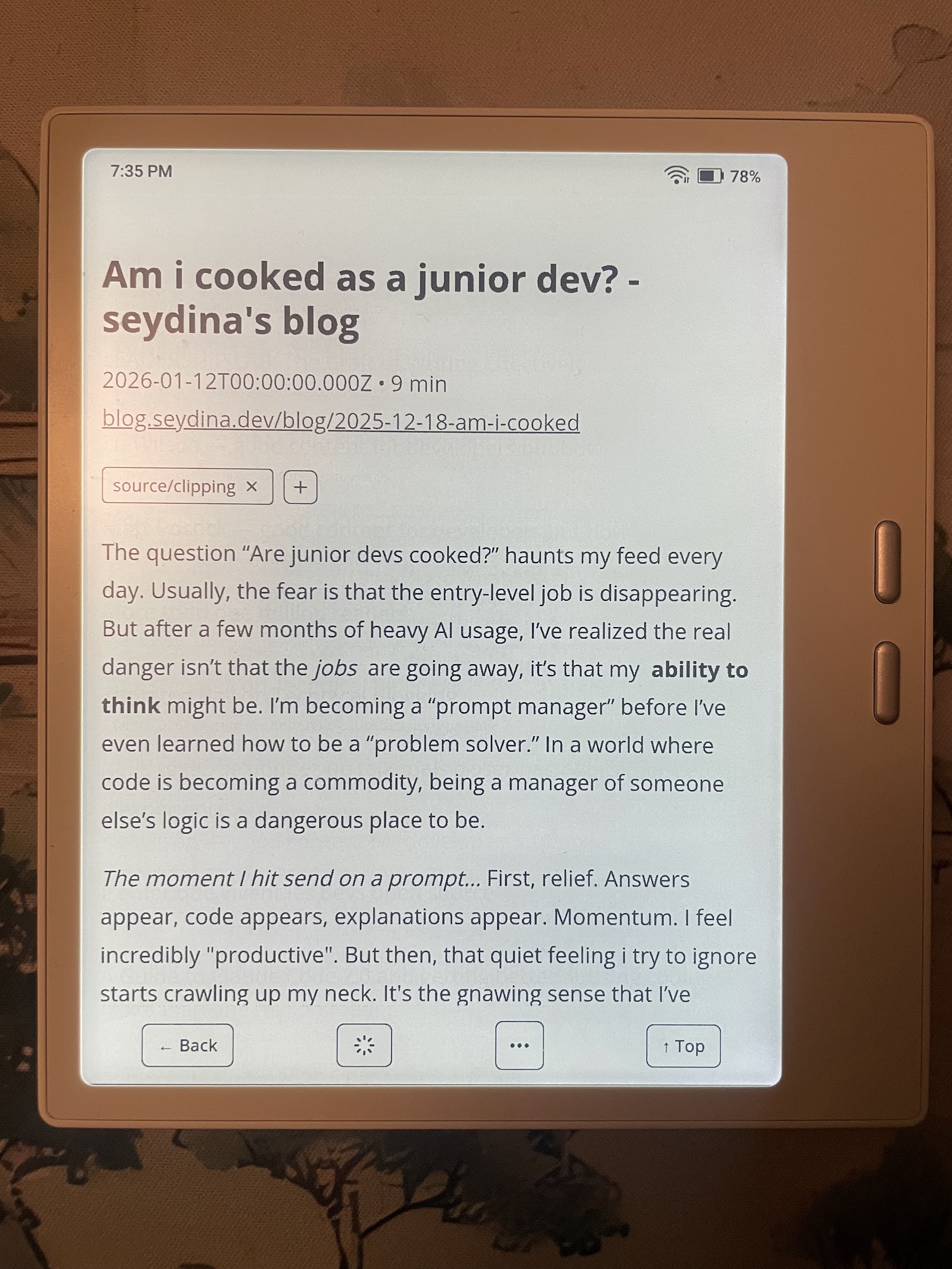
And now, finally, I can read my articles on my Boox e-reader, exactly where I wanted to read them all along.
Want to see other methods? Take a look at how I used Github Spec-Kit to build another project.
Interested in BMAD? Learn more about the methodology at BMAD documentation.
Want to see the full BMAD artifacts from this project? All the planning documents (Product Brief, PRD, Tech Spec, Epics) are available here.
Got questions about the implementation? Find me on linkedin or check out more technical write-ups on my blog.