My friend needs to prepare for the CAPPEI – a French certification exam for specialized teaching. She had stacks of PDF guides and scattered notes. I saw an opportunity: build her a custom learning app. The catch? I wanted to do it in a single weekend, and I wanted to test a new methodology: specification-first development with SpecKit.
Here’s what happened.
The Context
Question
What is CAPPEI? The CAPPEI is the French national certification for specialized teaching in inclusive education. It qualifies teachers to work with students who have disabilities, learning disorders, or special needs. The certification includes practical assessments, a written essay, and its presentation. In French: “Certificat d’Aptitude Professionnelle aux Pratiques de l’Éducation Inclusive”.
The idea: transform PDF teaching guides into interactive study material (revision sheets, quizzes, flashcards, study schedule).
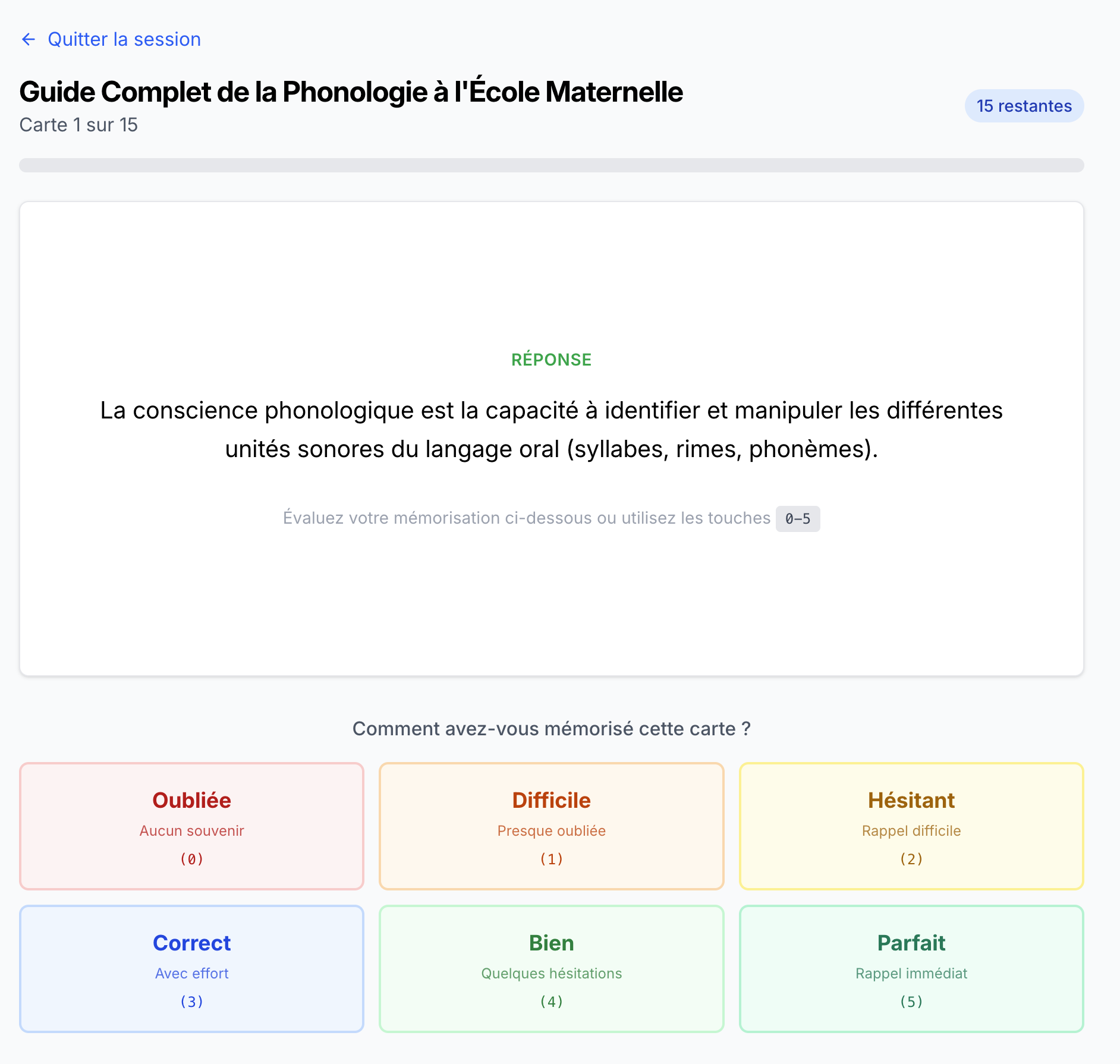
CAPPEI Quest application showing the study program overview with 14 teaching guides CAPPEI Quest flashcard interface showing a multiple-choice question about inclusive education practices
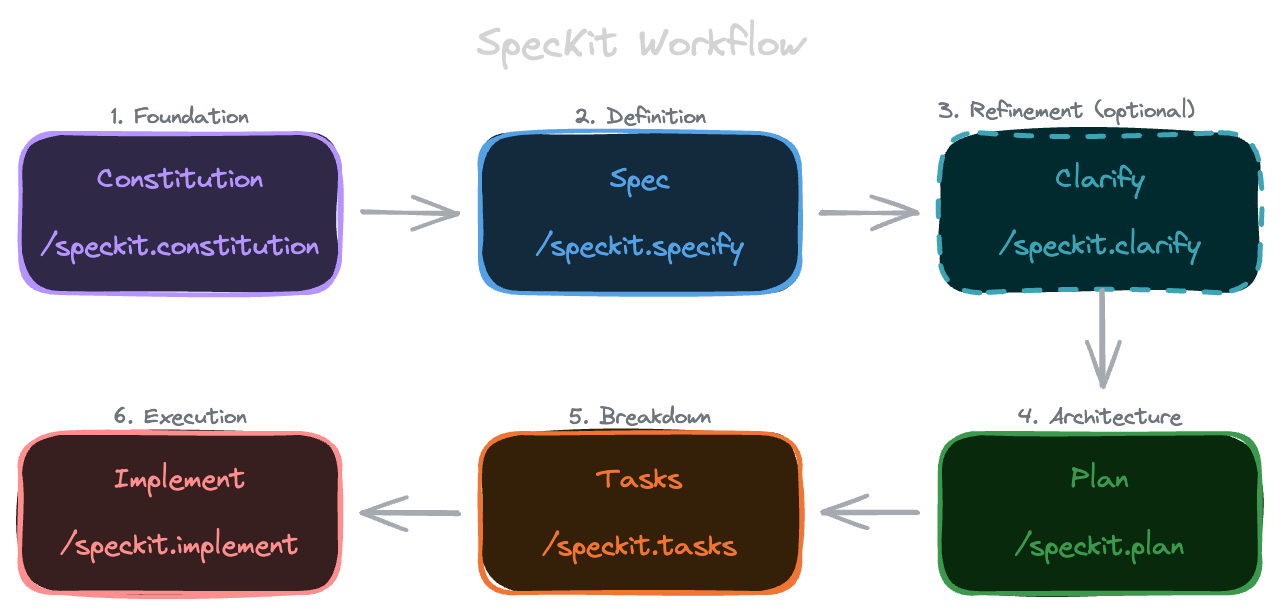
Setup SpecKit & Specification
Installing SpecKit
SpecKit is a “specification-first” development framework by GitHub. It formalizes thinking and specifying before coding.
SpecKit installs:
Templates in Markdown to structure specs (user stories, implementation plans, tasks)
Scripts to automate the specification workflow
A .specify/ folder structure for project documentation
The tool provides slash commands (/speckit.specify, /speckit.plan, etc.) to use with AI agents like OpenCode, Claude, or Cursor.
# Initializing SpecKit in the project specify init .
Agent choice: During specify init, you must select the development agent you want to use. Each agent has its own folder naming conventions and instructions. SpecKit will then install itself for that particular agent and its specificities.
/speckit.constitution Create principles focused on code quality, testing standards, user experience consistency, and performance requirements
This generates .specify/memory/constitution.md, the founding document defining non-negotiable project rules.
Insight
The Constitution must be created BEFORE any code. It acts as a safeguard throughout development.
Step 2: Creating the Spec
1 2 3 4 5 6
/speckit.specify "Build an application that to help me prepare for the French national education teaching certification exam (CAPPEI). Using the teaching guides in PDF format that I will provide, I want to create revision sheets, multiple-choice quizzes, revision schedules, and anything else that could help with exam preparation."
Important note: We focus on the WHAT and WHY, not on the technical stack (that comes later).
Step 3: Clarification (Optional but Recommended)
Command to run BEFORE /speckit.plan:
1
/speckit.clarify
This asks questions about under-specified areas:
“How to handle scanned PDFs (images) vs PDFs with extractable text?”
“What is the maximum supported PDF size?”
“Should multiple languages be supported or only French?”
Lesson learned: Clarify before implementation.
It improves the specs/001-cappei-quest/spec.md file divided in:
User Scenarios & Testing: User Stories with priority and acceptance scenarios
Success Criteria: measurable outcomes, assumptions, out of scope
Step 4: Technical Plan
1 2 3
/speckit.plan "The application uses Vite with minimal number of libraries. Use react, react-router with SSR, tailwind as much as possible. Metadata is stored in a local SQLite database."
Build a desktop web application for CAPPEI exam preparation that processes PDF teaching guides to generate revision sheets, multiple-choice quizzes, and revision schedules. The application uses Vite + React for the frontend with React Router for navigation, Tailwind CSS for styling, and SQLite for local data storage. PDF files are stored locally with metadata tracked in the database. Content generation (revision sheets, quizzes) requires AI integration for text summarization and question generation.
## Technical Context
**Language/Version**: JavaScript/TypeScript with Node.js 18+ (for Vite build tools and PDF processing) **Primary Dependencies**: - Vite 5.x (build tool and dev server) - React 18.x (UI framework) - React Router 6.x with loaders (routing and data loading) - Tailwind CSS 3.x (styling) - better-sqlite3 (local SQLite database) - pdf-parse or pdfjs-dist (PDF text extraction) - AI API (OpenAI, Anthropic, or local LLM for content generation)
**Storage**: SQLite database (local file-based) for metadata; PDF files stored in local filesystem **Testing**: Vitest (unit tests), React Testing Library (component tests), Playwright (e2e tests) **Target Platform**: Desktop web browsers (Chrome, Firefox, Safari, Edge) - Electron wrapper optional for future **Project Type**: Single-page web application **Performance Goals**: - PDF extraction: <30 seconds for 20MB files - Page navigation: <100ms transitions - Quiz interaction: <50ms response to user input - Database queries: <50ms for list operations **Constraints**: - Bundle size: <500KB initial load (code splitting for routes) - Offline-capable: ServiceWorker for offline access to downloaded content - Local-first: No backend server, all processing client-side or via external AI API **Scale/Scope**: - Single user per browser profile - Up to 100 teaching guides per library - Up to 1000 revision sheets - Up to 500 quizzes
## Constitution Check
*GATE: Must pass before Phase 0 research. Re-check after Phase 1 design.*
### II. Testing Standards & TDD Discipline ✅ -**Status**: PASS - Test framework: Vitest + React Testing Library + Playwright - TDD workflow: Write tests → User approval → Red-Green-Refactor - Target: 80% code coverage - Test types: - Unit tests: PDF parsing, quiz generation logic, schedule algorithms - Integration tests: Database operations, React Router loaders, AI API calls - E2E tests: User workflows (upload PDF → generate quiz → take quiz)
### III. User Experience Consistency ✅ -**Status**: PASS - Tailwind CSS ensures visual consistency with design tokens - WCAG 2.1 AA compliance required: - Keyboard navigation for all interactive elements - ARIA labels for screen readers - Color contrast 4.5:1 minimum - Loading states for async operations (PDF processing, AI generation) - Error boundaries for graceful error handling - Responsive design (desktop-first, but mobile-friendly) - French language UI (i18n with react-i18next)
### IV. Performance Requirements ✅ -**Status**: PASS - Performance budgets: - Initial bundle: <500KB gzipped (code splitting by route) - Database queries: <50ms (indexed SQLite queries) - UI interactions: <100ms (React optimizations, memoization) - Offline support via ServiceWorker for cached content - Lazy loading for PDF viewer and quiz components - Virtual scrolling for long lists (teaching guide library)
It also creates:
specs/001-cappei-quest/research.md with the technical research for implementation decisions: research about key implementations (pdf text extraction, AI api integration, etc), a summary of the recommended technology stack and the important architecture decisions.
specs/001-cappei-quest/data-model.md that contains the entities, entity relationship diagram, indexing strategy, data migration strategy.
Insight
It is important to review carefully the created files. If the architecture doesn’t respect the principles, we must rework BEFORE implementing. This avoids technical debt from the start and wasting time.
Step 5: Task Breakdown
1
/speckit.tasks
Generates specs/001-cappei-quest/tasks.md with complete project breakdown.
-**Setup (Phase 1)**: No dependencies - can start immediately -**Foundational (Phase 2)**: Depends on Setup completion - BLOCKS all user stories -**User Stories (Phase 3-7)**: All depend on Foundational phase completion - User stories can then proceed in parallel (if staffed) - Or sequentially in priority order (P1 → P2 → P3 → P4 → P5) -**Polish (Phase 8)**: Depends on all desired user stories being complete
### User Story Dependencies
-**User Story 1 (P1)**: Can start after Foundational (Phase 2) - No dependencies on other stories -**User Story 2 (P2)**: Depends on User Story 1 (needs teaching guides uploaded) - Should be independently testable -**User Story 3 (P3)**: Depends on User Story 1 (needs teaching guide content) - Should be independently testable -**User Story 4 (P4)**: Depends on User Story 1, 2, 3 (needs materials to schedule) - Can work with basic materials -**User Story 5 (P5)**: Depends on User Story 1, 2, 3, 4 (needs activity data to track) - Can display partial data
### Within Each User Story
- Entity types before services - Services before components - Core components before composite components - Database operations before UI that uses them - Error handling integrated throughout - Story complete before moving to next priority
### Parallel Opportunities
- All Setup tasks marked [P] can run in parallel - All Foundational tasks marked [P] within their categories can run in parallel - Entity types across different user stories can be created in parallel - UI components that don't share state can be developed in parallel - Polish tasks marked [P] can run in parallel at the end
---
## Parallel Example: Multiple User Stories
\```bash # After Foundational phase, these can run in parallel if team capacity allows: # Developer A: User Story 1 Task: "Create TeachingGuide entity types" Task: "Implement PDF text extraction" Task: "Create upload component" # Developer B: User Story 2 (can mock data from US1) Task: "Create RevisionSheet entity types" Task: "Implement AI revision sheet generation" Task: "Create sheet viewer component" # Developer C: User Story 3 (can mock data from US1) Task: "Create Quiz entity types" Task: "Implement AI quiz generation" Task: "Create quiz taking interface" \```
---
## Implementation Strategy
### MVP First (User Story 1 + User Story 2)
1. Complete Phase 1: Setup 2. Complete Phase 2: Foundational (CRITICAL - blocks all stories) 3. Complete Phase 3: User Story 1 (PDF upload and extraction) 4.**STOP and VALIDATE**: Test User Story 1 independently 5. Complete Phase 4: User Story 2 (Revision sheets) 6.**STOP and VALIDATE**: Test User Stories 1 + 2 together 7. Deploy/demo if ready - Users can already create revision materials!
### Incremental Delivery
1. Complete Setup + Foundational → Foundation ready 2. Add User Story 1 → Test independently → Deploy/Demo (Basic PDF library) 3. Add User Story 2 → Test independently → Deploy/Demo (MVP - can create revision sheets!) 4. Add User Story 3 → Test independently → Deploy/Demo (Can practice with quizzes) 5. Add User Story 4 → Test independently → Deploy/Demo (Organized study schedule) 6. Add User Story 5 → Test independently → Deploy/Demo (Full analytics) 7. Add Phase 8 Polish → Final release 8. Each story adds value without breaking previous stories
### Parallel Team Strategy
With multiple developers:
1. Team completes Setup + Foundational together 2. Once Foundational is done: - Developer A: User Story 1 (PDF upload/extraction) - Developer B: User Story 2 (Revision sheets) - can use mock data initially - Developer C: User Story 3 (Quizzes) - can use mock data initially 3. User Story 1 completes first, provides real data to US2 and US3 4. All stories integrate and work together 5. Team moves to US4 and US5 together or in parallel 6. Final polish phase together
---
## Notes
- [P] tasks = different files, no dependencies, can run in parallel - [Story] label maps task to specific user story for traceability - Each user story should be independently completable and testable - Commit after each task or logical group of tasks - Stop at checkpoints to validate story independently - IndexedDB provides local-first architecture - no backend needed - AI API integration requires VITE_OPENAI_API_KEY environment variable - Offline support allows viewing downloaded content without internet - French language UI required for CAPPEI exam context - Avoid: vague tasks, same file conflicts, cross-story dependencies that break independence
Insight
This breakdown showed exactly the implementation order and parallelization opportunities. Solo: Phase 1 → Phase 2 → US1 → US2 sequentially. Team: parallelize User Stories after Phase 2.
Step 6: Assisted Implementation
1
/speckit.implement
Launches guided implementation of all tasks according to the plan.
Insight
/speckit.implement is like an AI project manager. It ensures we don’t skip steps and that dependencies are respected.
Zoom on some features
AI Integration - The Heart of the System
Created AI integration for different providers (Bedrock with Claude, Perplexity, OpenAI), usable for each script. This allowed testing with different providers.
Insight
ALWAYS validate AI output. LLMs can hallucinate or generate invalid formats.
Add a batchDelay to avoid 429 errors (rate limit). 1 second between requests = good compromise.
CLI Scripts - Generation Pipeline
Instead of 10 “Generate” buttons in the UI, I created a CLI pipeline:
Instead of integrating 10 “Generate” buttons in the UI, I created a CLI pipeline:
Result: 72 sheets + 58 quizzes + 210 flashcards in ~30min without interaction.
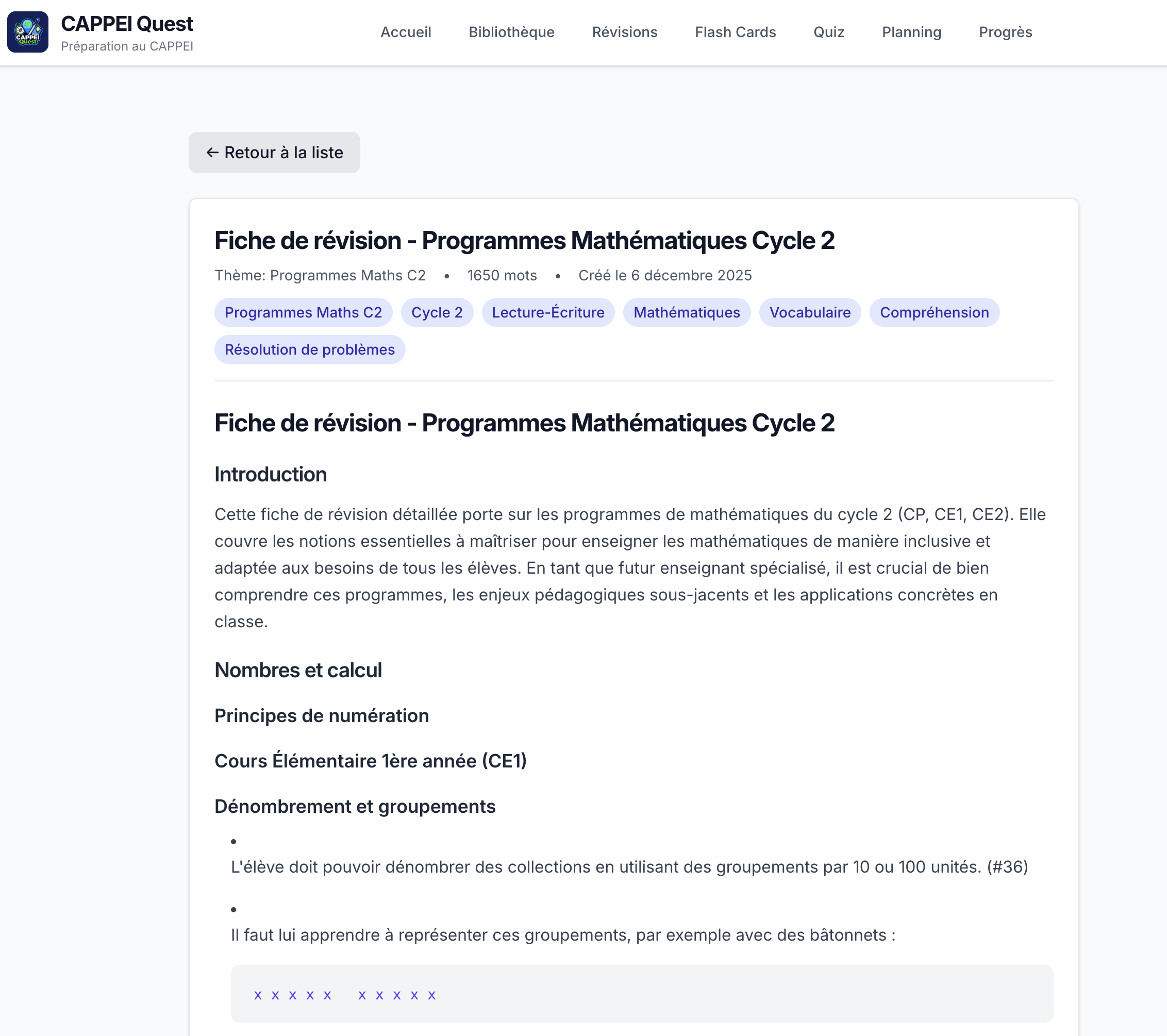
CAPPEI Quest revision sheet viewer displaying a structured summary of inclusive education concepts with key points and definitions
Insight
AI needs EXPLICIT constraints. “Be concise” doesn’t work. “500-800 words STRICT” works much better.
Even with response_format: { type: "json_object" }, AI can wrap JSON in code blocks. Always parse defensively.
Frontend - React Router v7
Insight
React Router v7 loaders make everything easier. No useEffect + loading states. Data loading is declarative and automatic.
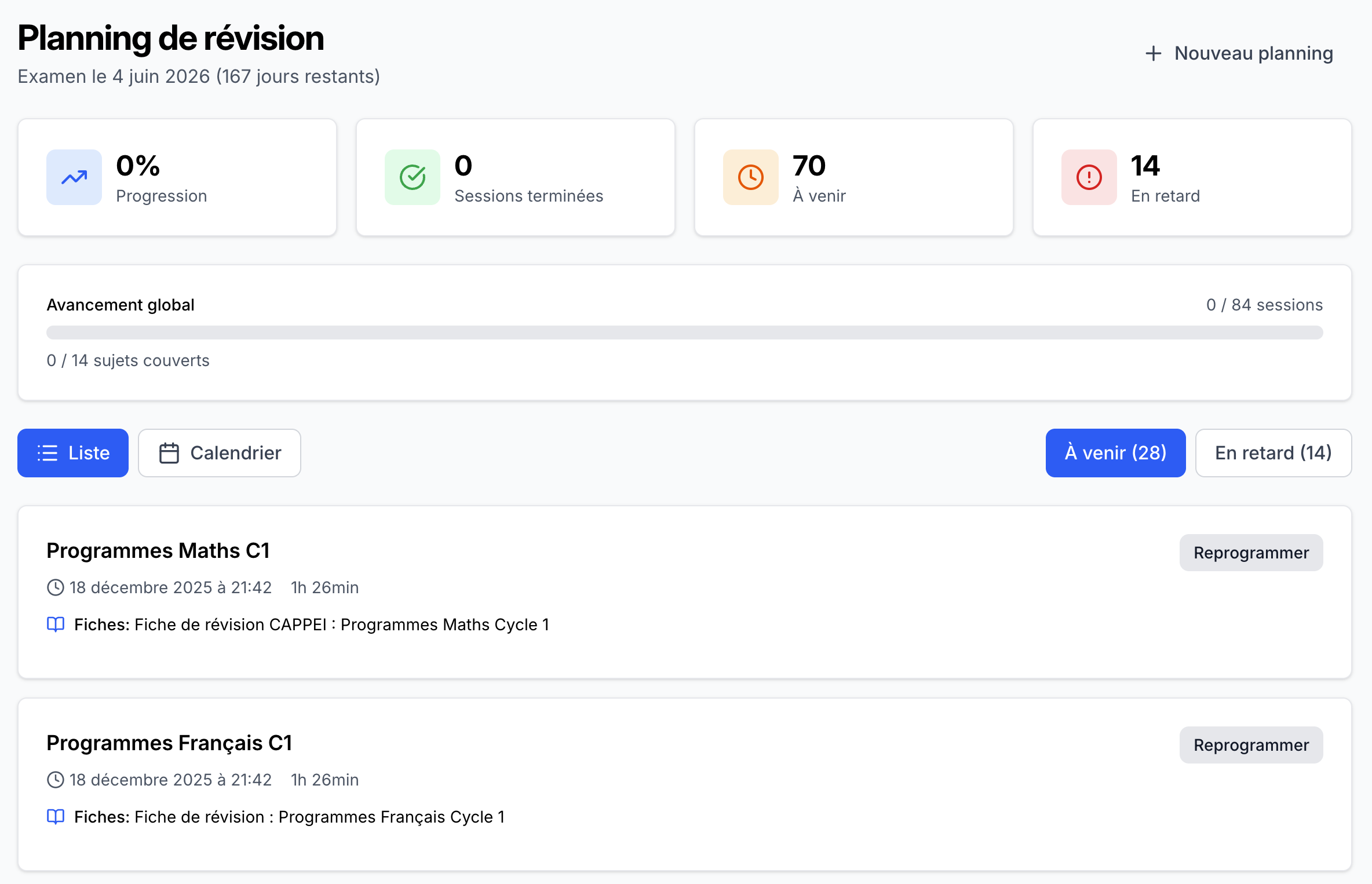
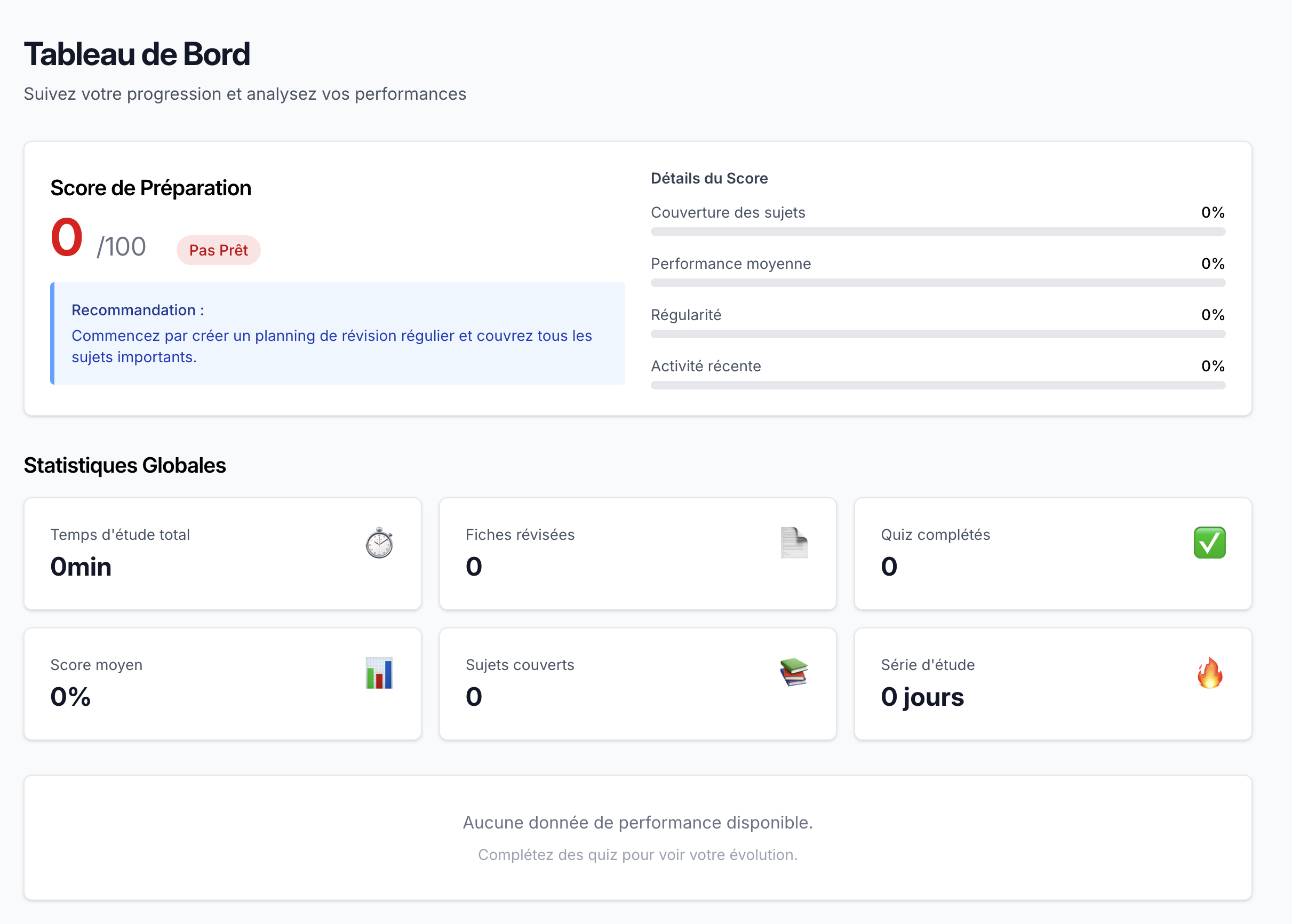
Features: Interactive Quiz, Keyboard navigation, Automatic Study Schedule, Browser Notifications.
CAPPEI Quest study planning calendar with automated revision schedule based on spaced repetition algorithm
Spaced Repetition Algorithm
The SM-2 algorithm is a simple but effective method for optimizing flashcard review:
Cards are reviewed at increasing intervals based on how well you remember them
Interval progression for “Easy” cards:
1 day → 6 days → 30 days → 120 days
Cards rated as “easy” are shown less and less frequently over time
Cards rated as “Difficult”: Remain at frequent intervals to reinforce learning
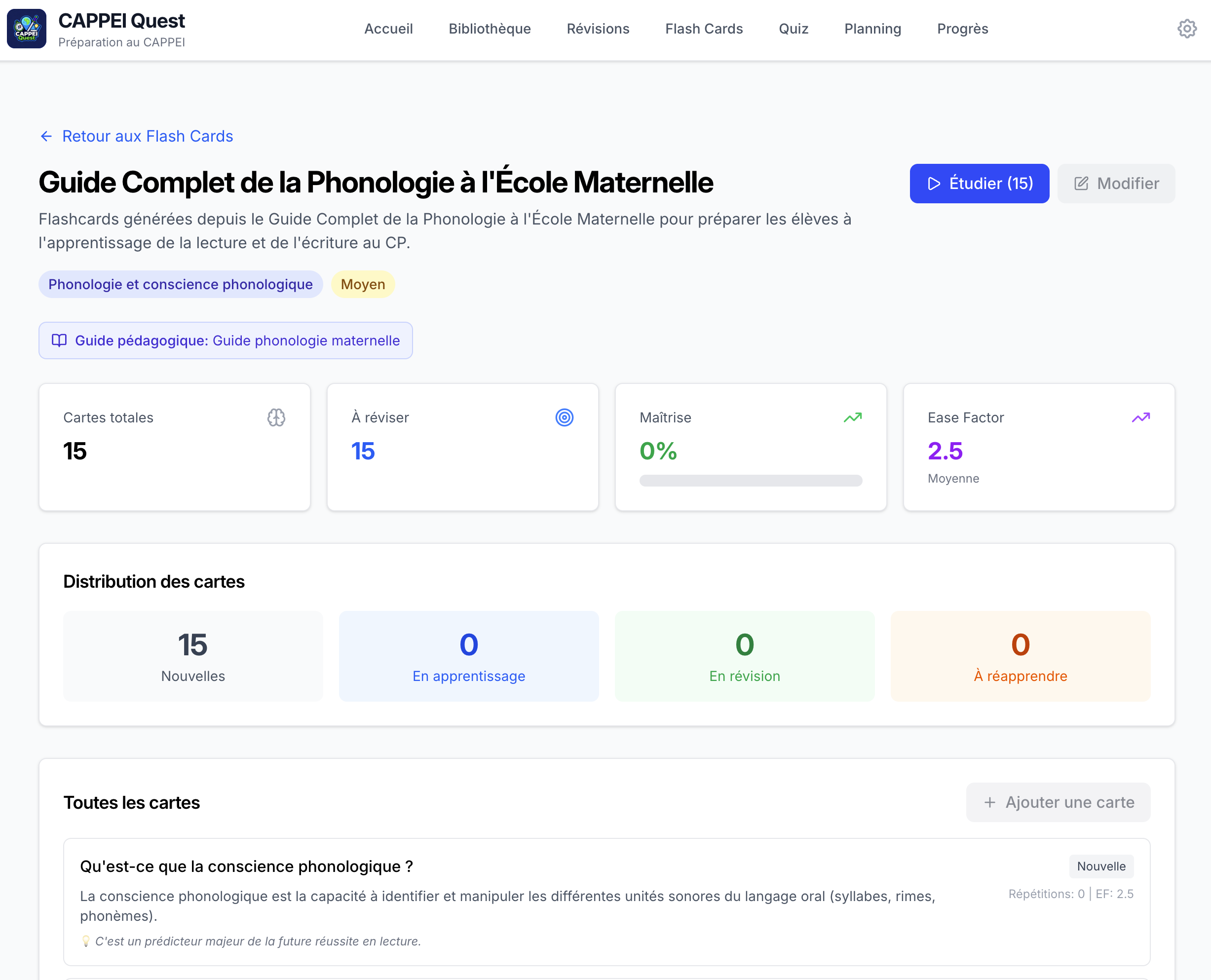
CAPPEI Quest flashcard deck selection screen showing available study topics and card counts CAPPEI Quest flashcard answer reveal showing the correct response with detailed explanation
Insight
SM-2 is simple but effective. “Easy” cards space out (1d → 6d → 30d → 120d), difficult ones stay frequent.
Results & Metrics
Statistics:
14 teaching guides processed (PDFs → Markdown)
72 revision sheets generated (~650 words each)
58 quizzes created (10-15 questions each)
210+ flashcards produced
CAPPEI Quest progress dashboard displaying study statistics, completion rates, and learning analytics
Lessons Learned & Technical Insights
1. SpecKit = Methodology That Works
Before SpecKit:
Start coding directly
Discover architecture problems along the way
Massive refactoring mid-project
With SpecKit:
Spend 2-3h on specs (user stories, plan, tasks)
Architecture validated BEFORE code
Zero major refactoring during development
Verdict: 3h of spec saved hours of potential refactoring.
2. The Constitution Avoids Technical Debt
Non-negotiable principles (max 50 lines/function, TDD, WCAG) act as safeguards:
// 2. Business constraints if (result.questions.length !== expectedCount) { thrownewError(`Expected ${expectedCount} questions, got ${result.questions.length}`) }
// 3. Required fields for (const q of result.questions) { if (!q.questionText || !q.correctAnswer) { thrownewError('Missing required fields') } }
What Didn’t Work
The “Solo App” Trap
When initializing SpecKit, I selected the “single-person app” template option. Despite explicitly mentioning Prisma and SQLite in my specifications, the AI generated code using an in-browser database (IndexedDB/localStorage pattern).
The problem: This architecture made sense for a “solo app” (offline-first, no server), but it completely ignored my spec which stated “Metadata is stored in a local SQLite database” with Prisma.
I had to refactor the entire data layer:
Before (Generated)
After (Corrected)
IndexedDB in browser
SQLite + Prisma
useEffect for data fetching
React Router loaders
Client-side state
Server-side data
No type safety on DB
Prisma-generated types
The problem came on the research.md file, where the LLM chose to not use SQLite:
1 2 3 4
SQLite Decision: Recommend IndexedDB over SQLite for browser-based web app
   - SQLite requires Electron or backend (violates "web app" requirement)
   - IndexedDB is browser-native and equally capable for this use case
   - Can migrate to SQLite later if desktop app needed
Time lost: ~2 hours refactoring from client-side to server-side architecture.
// BEFORE // Load sheets and filter options useEffect(() => { loadData(); }, []);
constloadData = async () => { try { setLoading(true); const [sheetsData, topicsData, tagsData] = awaitPromise.all([ getRevisionSheets(), getAllTopics(), getAllTags(), ]); setSheets(sheetsData); setFilteredSheets(sheetsData); setTopics(topicsData); setTags(tagsData); } catch (err) { console.error('Error when loading:', err); setError('Impossible de charger les fiches de révision'); } finally { setLoading(false); } }; // AFTER // Loader function for react-router exportasyncfunctionloader({ params }: Route.LoaderArgs) { try { // Appels API vers le serveur backend const [sheets, topics, tags] = awaitPromise.all([ getRevisionSheets(), getAllTopics(), getAllTags(), ]); return { sheets, topics, tags, }; } catch (err) { console.error('Error when loading:', err); thrownewError('Impossible de charger les fiches de révision'); } }
Warning
SpecKit templates can override your explicit specs. Always review the generated plan BEFORE implementation. The “solo app” template assumed offline-first, but my spec clearly needed a server-side database. The AI prioritized template patterns over spec requirements.
What I should have done:
Remove “solo app” template constraints from the plan
Add explicit requirement: “MUST use server-side data fetching via React Router loaders”
Review plan.md more carefully before /speckit.implement
PDF Content Extraction Issues
Extracting PDF to markdown produces artifacts:
Sentence breaks at page boundaries
Loss of document hierarchy
Footnotes mixed with main text
Figure/table content loss
Arbitrary text promoted to headings
I asked the AI to clean up the markdown. Figures and tables are still lost. Manual re-addition is needed.
Git configuration
The PDFs were added on a public/pdfs directory because I wanted to be able to open them directly on the browser. But for some reason this folder was added on the .gitignore. So it is a good idea to review the .gitignore too.
Conclusion
This project demonstrates the power of the combination: